Istio Part 3-3: Safely Upgrading Ambient Mode
The original version of this post is available on the Channel.io Tech Blog.
Hi, this is Dylan and Jetty (Jaehong Jung) from the Channel.io DevOps team.
This is Part 3-3 of our Istio Ambient mode adoption series. Part 3-1 covered the stale connection problem between waypoints and ztunnel, and Part 3-2 covered partially enrolled Pods scheduled before istio-cni and ztunnel were ready.
- Part 1: Why Istio Ambient Mode?
- Part 2: Ambient Mode Under the Hood via Envoy Configs
- Part 3: Surprising Issues and Troubleshooting in Production
- Part 3-1: 503 and Half-open Connections
- Part 3-2: Partially Enrolled Pods and the Untaint Controller
- Part 3-3: Safely Upgrading Ambient Mode (this post)
- Part 3-4: Appendix — Detecting 507 Status Codes and istiod Disconnections
In this post, we will write a version upgrade runbook for Istio Ambient mode. Ambient mode has the advantage of not requiring application Pods to restart because there are no sidecars. Instead, node-local components such as istio-cni and ztunnel require more careful handling.
Questions about version upgrades also come up regularly in the Istio Slack #ambient channel.
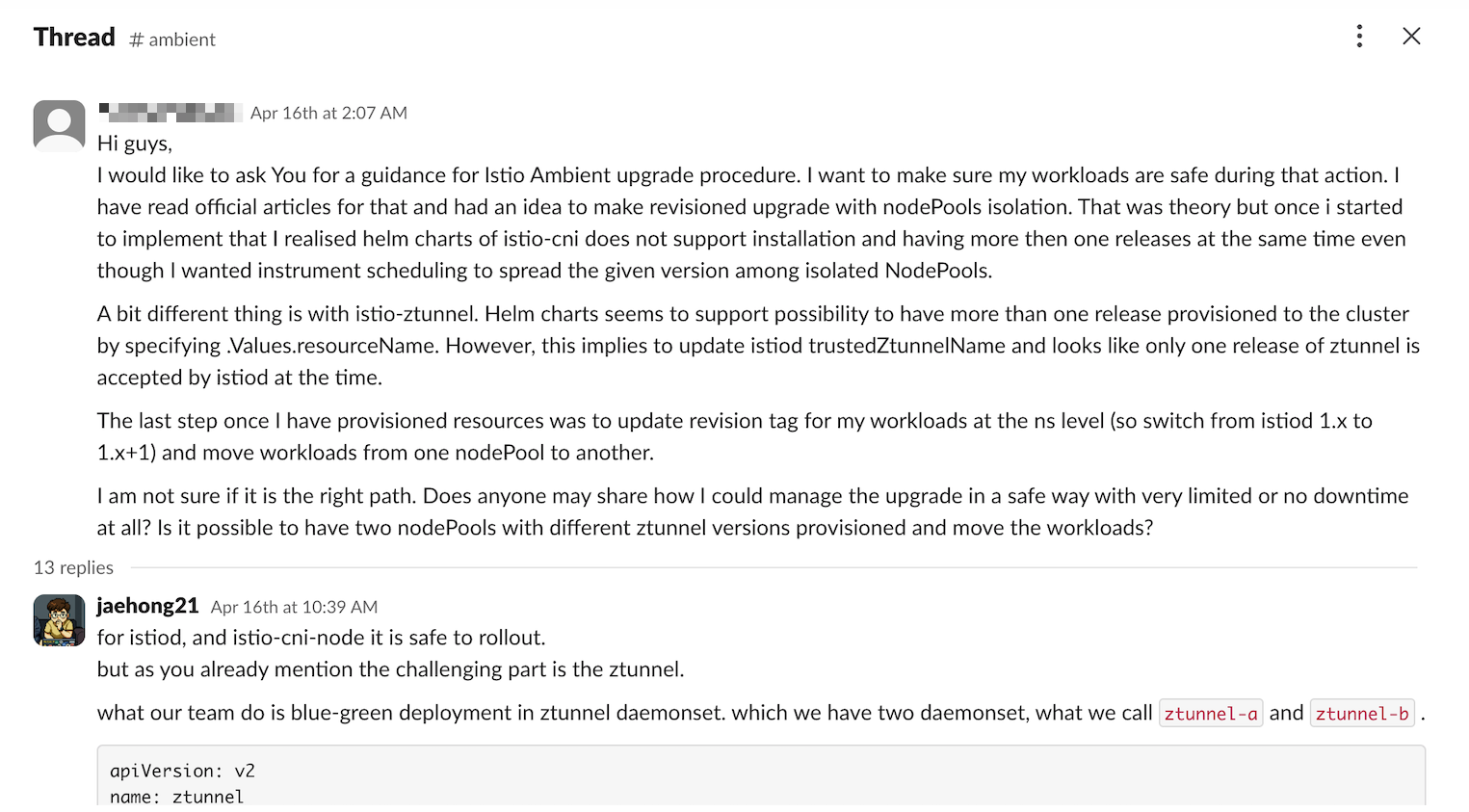
Related Slack thread: Istio #ambient — Ambient upgrade procedure
The thread raises similar concerns. It is difficult to install multiple istio-cni releases at the same time. ztunnel appears to support multiple DaemonSets through resourceName, but that value is tied to istiod’s trustedZtunnelName setting, making ztunnel difficult to manage like a traditional istiod revision canary. We therefore chose to blue-green deploy ztunnel by node pool rather than by workload.
Our conclusion is straightforward.
Upgrade Ambient mode in the order
istiod → istio-cni → ztunnel. For ztunnel, a blue-green node pool approach is safer than a conventional rolling update.
Three Components to Upgrade
An Ambient mode version upgrade covers three major components.
- Control Plane: istiod
- CNI Node Agent: istio-cni
- Data Plane: ztunnel
Each component has a different role and blast radius.
| Component | Role | Upgrade characteristics |
|---|---|---|
istiod | Gateway controller and Envoy config distribution | - |
istio-cni | Pod detection, iptables configuration, and ztunnel proxy port setup | In-place upgrade; normally does not affect networking for running Pods |
ztunnel | Node-level L4 data plane | Replacing it may reset long-lived connections on that node |
Although istiod and istio-cni are also important, ztunnel requires the most care in production. One ztunnel runs on every node and directly handles traffic for the Ambient workloads on that node.
Step 1: Upgrade istiod In Place
First, upgrade the control plane, istiod. In an Ambient environment, istiod distributes configuration and also acts as the Gateway controller. Envoy workloads managed by the Istio Gateway controller are coupled to the istiod revision and version. Upgrading istiod therefore automatically rolls out istio-gateway with a new Envoy image and configuration. Treat an istiod upgrade as an update to both the control plane and the gateway Envoys, and verify the gateways afterward.
Istio supports graceful shutdown by default, so control plane and gateway rollouts should not immediately interrupt service. Still, we monitor the following during an upgrade.
- Does the new istiod revision start successfully?
- Are the gateways and waypoints connected to the intended revision?
- Does xDS remain in sync?
- Are control plane error logs increasing?
Step 2: Upgrade istio-cni In Place
In Ambient mode, istio-cni detects Pods on a node and configures redirection rules inside each Pod network namespace so traffic passes through ztunnel. As part of this process, ztunnel prepares redirection sockets inside the Pod network namespace, and the workload Pod’s inbound and outbound traffic flows through this path.
An istio-cni upgrade is a Kubernetes DaemonSet rollout. We can treat it as an in-place upgrade because the redirection rules and path to ztunnel were already configured when each running Pod’s network namespace was created. Restarting the istio-cni Pod does not recreate existing Pod network namespaces, so this is not a data plane replacement that immediately breaks traffic to running Pods.
The part that deserves more attention is new Pods created during the rollout. If a new Pod is created during the brief window before istio-cni is fully ready, the CNI configuration may not complete during sandbox creation, causing FailedCreatePodSandBox. In this case, however, the Pod does not reach Running with an invalid network state. Sandbox creation itself fails, and Kubernetes retries. Once istio-cni is ready, the Pod is created normally.
We therefore distinguish between two cases during an istio-cni DaemonSet rollout. Existing running Pods continue to use their current network namespaces and ztunnel paths. Newly created Pods must wait for istio-cni to become ready before sandbox creation and redirection setup can complete. From this perspective, istio-cni can be upgraded in place while we verify that the DaemonSet rollout completes normally.
Istio provides CNI version compatibility as follows.
v1.x istio-cni is compatible with v1.x and v1.x+1 control planes. The same applies to ztunnel.
The usual upgrade order is therefore the control plane first, followed by CNI.
As discussed in Part 3-2, however, we can still observe a race condition where workload Pods start before istio-cni and ztunnel are ready. We treat FailedCreatePodSandBox in this case as a retry while istio-cni becomes ready rather than as a permanent failure. During a CNI upgrade, we therefore focus less on existing Pod connections and more on whether the istio-cni DaemonSet rollout completes, and whether any newly created Pods are left without redirection or stuck in a pending state.
Step 3: Upgrade ztunnel with Blue-Green Node Pools
ztunnel is the most important part of the procedure.
ztunnel is Ambient mode’s data plane. A v1.x ztunnel is compatible with v1.x and v1.x+1 control planes, so it can be moved after the control plane upgrade.
The challenge is how to perform that upgrade. Updating ztunnel like a conventional DaemonSet creates a moment when the old and new ztunnels are replaced on the same node. ztunnel supports graceful shutdown, but extending its shutdown time is not recommended. The default is around 30 seconds, and any connection still open after that period can be terminated when ztunnel exits. Without application- or client-side retries, this can result in failed requests.
In other words, a ztunnel upgrade is not unconditionally disruption-free. Even with graceful shutdown, we do not consider an in-place DaemonSet rollout inherently safe. Istio’s Ztunnel Safe Upgrade issue similarly treats hitless in-place upgrades and multiple active ztunnel revisions on one node as out of scope, while discussing documentation for a node-drain-based procedure. For the same reason, we upgrade ztunnel using blue-green node pools.
3.1 Create the Green ztunnel Resource
First, map the old and new ztunnels to different node labels.
For example, call the old version ztunnel-a and the new version ztunnel-b.
ztunnel-a:
  enabled: true
  resourceName: ztunnel-a
  nodeSelector:
    node.channel.io/istio-version: 1.25.0

ztunnel-b:
  enabled: true
  resourceName: ztunnel-b
  nodeSelector:
    node.channel.io/istio-version: 1.26.2
The key is to give each ztunnel version a different nodeSelector. The old ztunnel then keeps running on existing nodes, while only the new ztunnel starts on new nodes.
Changing ztunnel’s resource name or operating multiple ztunnel DaemonSets at the same time also requires a matching istiod configuration. The istiod Helm chart assumes the ztunnel name is ztunnel by default. To use ztunnel-a and ztunnel-b, add both names to the list of ztunnel service accounts trusted by istiod.
istiod:
  env:
    CA_TRUSTED_NODE_ACCOUNTS: "istio-system/ztunnel-a,istio-system/ztunnel-b"
Without this setting, the ztunnel running under the new resourceName may fail to establish a trust relationship with istiod. Creating the green ztunnel resource is therefore not just adding another DaemonSet; it also includes updating istiod’s trusted node account configuration.
3.2 Create the Green NodePool
Next, create the green node pool where the new ztunnel will run. With Karpenter, add the new Istio version label to the NodePool template.
apiVersion: karpenter.sh/v1beta1
kind: NodePool
metadata:
  name: channel-general
spec:
  template:
    metadata:
      labels:
        node.channel.io/istio-version: 1.26.2
Existing nodes retain the node.channel.io/istio-version: 1.25.0 label, while new nodes receive node.channel.io/istio-version: 1.26.2. Existing nodes continue using the blue ztunnel, and new nodes use the green ztunnel.
3.3 Gradually Drain the Blue Nodes
Once the green node pool and green ztunnel are ready, gradually empty the existing blue nodes.
kubectl cordon <blue-node>
kubectl drain <blue-node> --ignore-daemonsets --delete-emptydir-data
Moving stateless workloads first is safer. Stateful workloads and long-running jobs can remain for much longer because of PDBs, local storage, or connection characteristics. The point at which ztunnel-a can be fully removed may therefore arrive later than expected.
A practical operating procedure looks like this.
- Create the green node pool.
- Confirm that
ztunnel-bis Ready on green nodes. - Cordon and drain blue nodes gradually.
- Confirm that workloads move to green nodes.
- Monitor 5xx responses, TCP resets, and latency metrics.
- Remove
ztunnel-aafter no nodes need it anymore.
Step 4: Clean Up the NodeGroup
After all workloads have moved to the green node pool and no nodes need the blue ztunnel, remove the old NodeGroup.
Conclusion
An Ambient mode upgrade is not simply “bumping one Istio version.” It is a sequence of upgrades for three components with very different characteristics.
- Upgrade
istiodfirst, then verify gateway and waypoint health. - Upgrade
istio-cniin place while checking the untaint controller andambient.istio.io/redirection: enabledannotations. - Handle
ztunnelwith the most care, preferably migrating node by node through blue-green node pools.
Because ztunnel is a node-level data plane, the safest unit of upgrade is ultimately the node. Keeping the old ztunnel on existing nodes, starting the new ztunnel on new nodes, and slowly moving workloads proved to be the clearest and safest approach for us.
- Part 1: Why Istio Ambient Mode?
- Part 2: Ambient Mode Under the Hood via Envoy Configs
- Part 3: Surprising Issues and Troubleshooting in Production
- Part 3-1: 503 and Half-open Connections
- Part 3-2: Partially Enrolled Pods and the Untaint Controller
- Part 3-3: Safely Upgrading Ambient Mode (this post)
- Part 3-4: Appendix — Detecting 507 Status Codes and istiod Disconnections